See it in action

Zikra in the wild

Real screenshots from live deployments — the memory graph, prompt library, renderings tab, and the team workflows that Zikra makes possible.

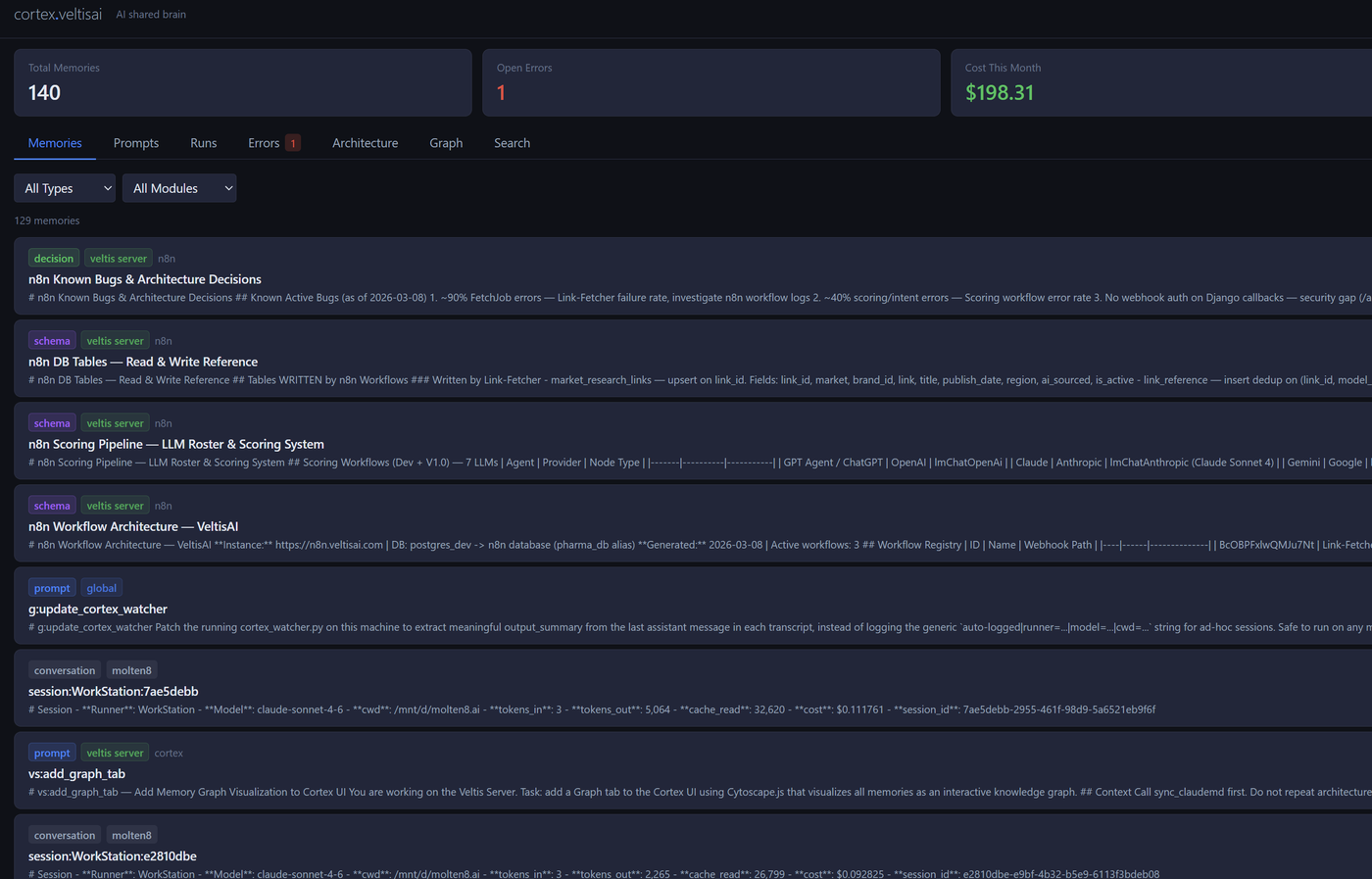
Zikra memory list showing decisions, prompts, and architecture entries
Screen 01
Memory list — every decision your team has ever saved

The core memory browser. Every entry is tagged by type — decision, prompt, architecture, conversation — and scoped to a project. Memories surface with full content previews so you can scan them at a glance without opening each one. This is what Claude reads before your session starts.
Memory browser Type filters Project scoping
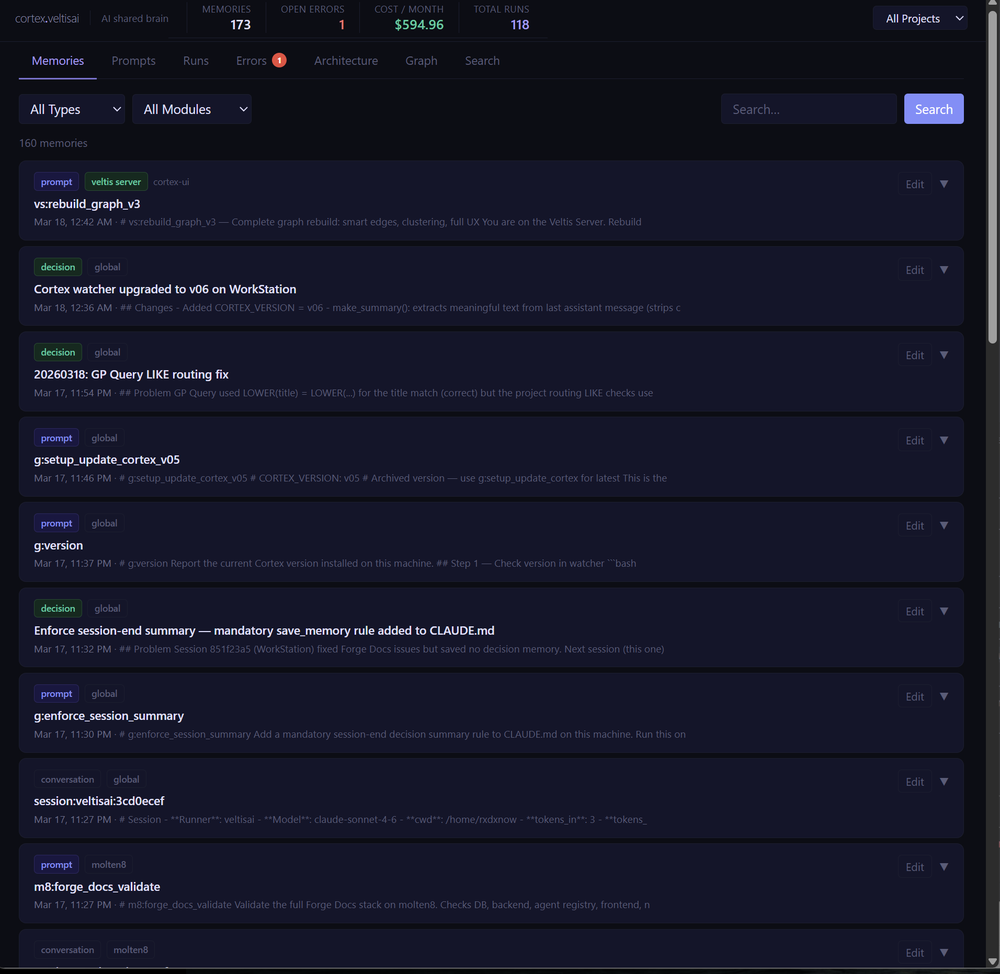
Zikra memory search interface with 160+ memories and filter controls
Screen 02
Search and filter across 160+ memories instantly

Full hybrid search across every memory in the project — semantic vector search with keyword fallback. Type filters, module filters, and date ordering let you narrow from hundreds of entries to exactly what you need. Each card shows title, timestamp, project, and tags so nothing requires a second click to identify.
Hybrid search Module filters 160+ memories
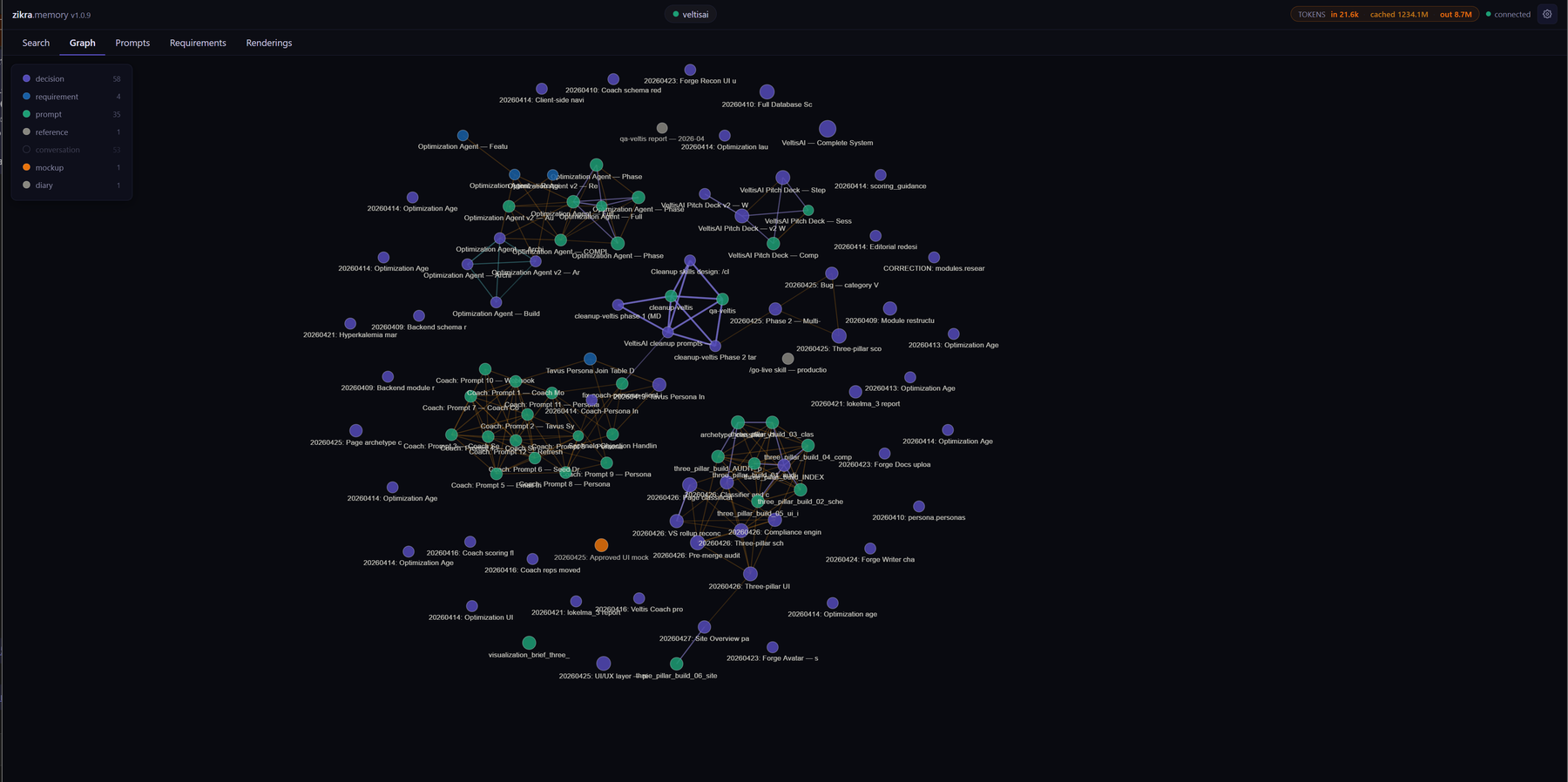
Zikra memory graph — force-directed network of memories linked by wikilinks
Screen 03
Memory graph — your project as a living knowledge network

The Graph tab renders every memory as a node in a force-directed network. Nodes are coloured by memory type — decisions in orange, prompts in green, conversations in blue. Edges are wikilinks written by agents as they reference related entries. You can instantly see which decisions are load-bearing, which prompts are most connected, and where knowledge clusters are forming.
Force graph Wikilinks Type colouring Live filter
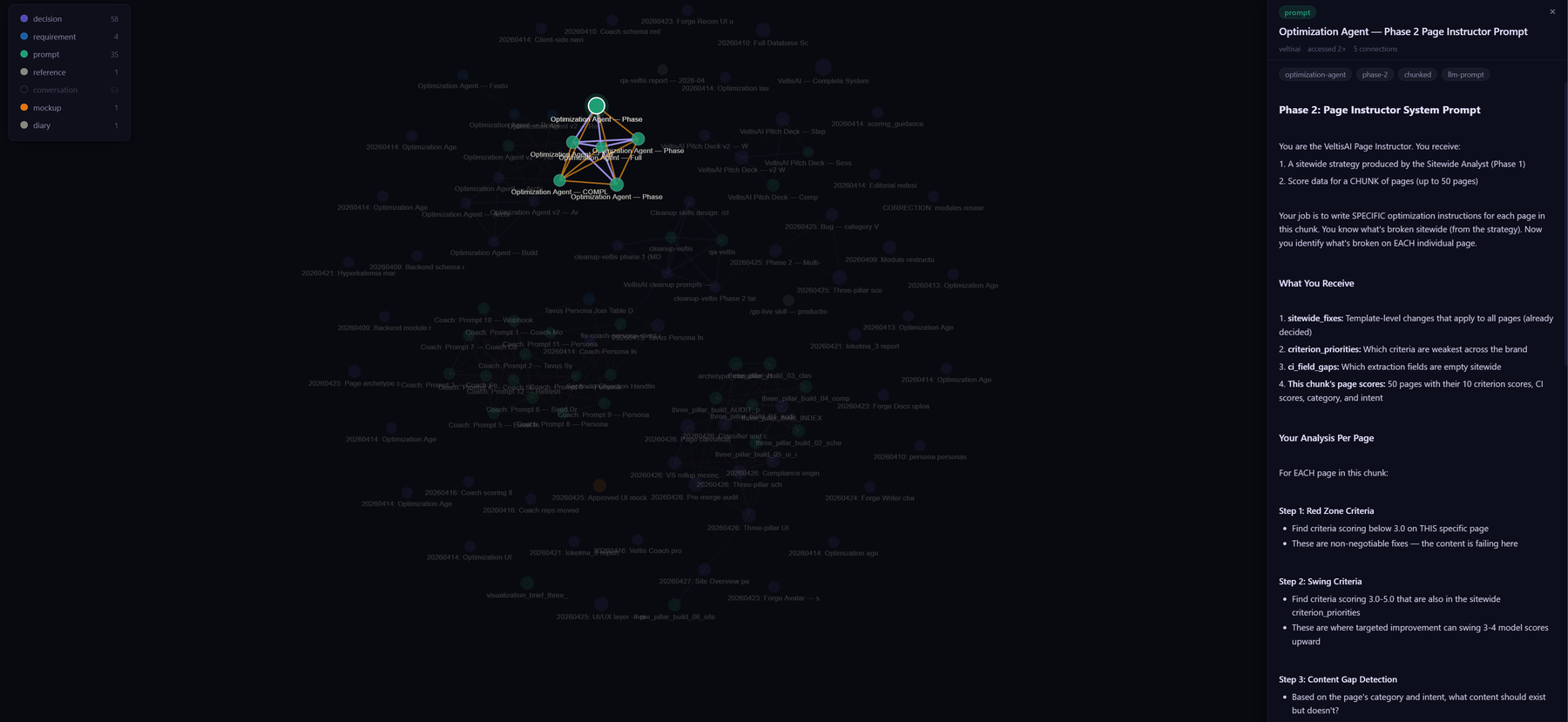
Zikra graph with prompt detail panel open showing full prompt content
Screen 04
Click any node — full content opens without leaving the graph

Clicking a node in the graph opens a detail panel on the right showing the full memory content, tags, confidence score, and metadata. Here a multi-step prompt — the Optimization Agent Phase 2 Page Instructor — is open with its complete markdown instructions visible. The graph stays live while you read, so you can trace context through connected nodes without losing your orientation.
Node detail panel Markdown rendering Prompt inspection
Zikra Renderings tab showing a VeltisAI brand dashboard mockup with HTML source
Screen 05
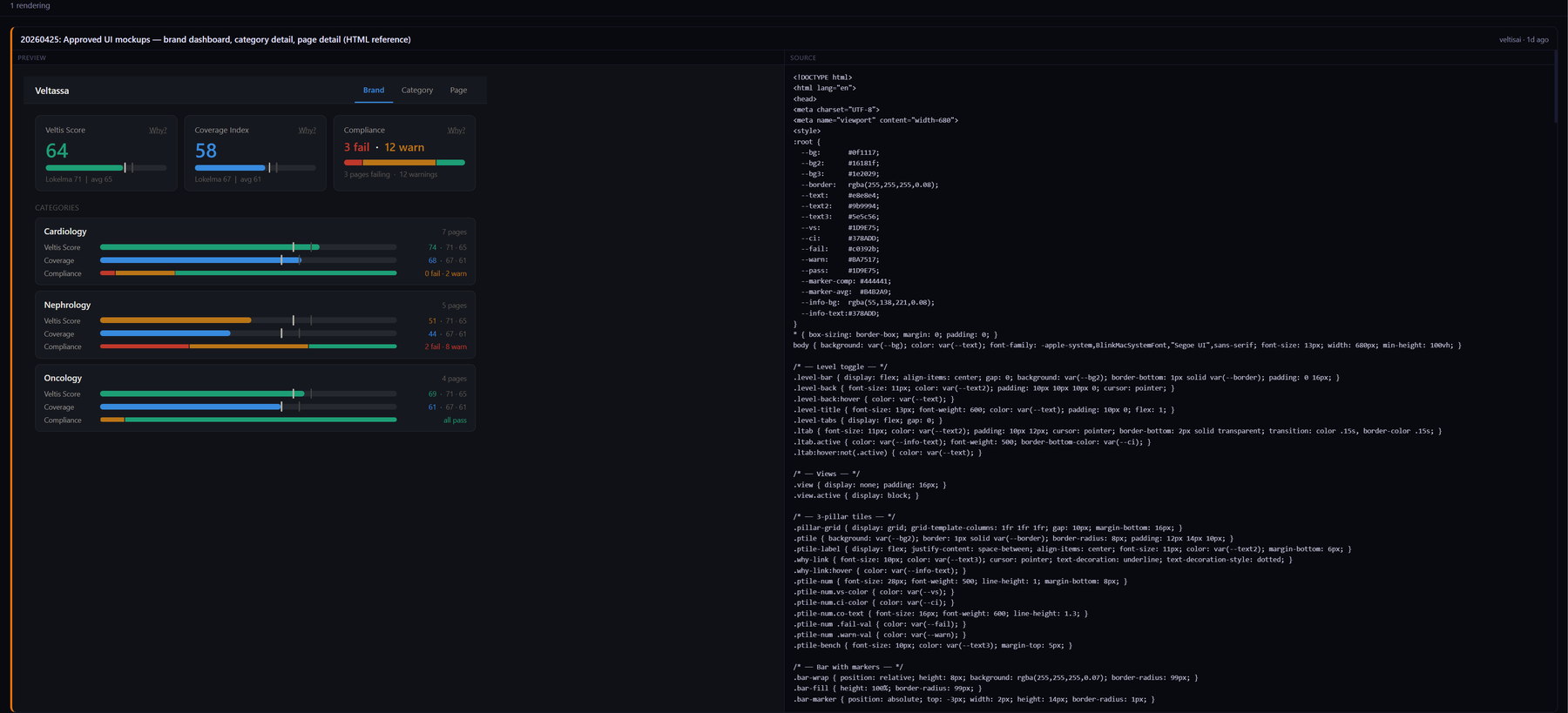
Renderings tab — store and preview HTML mockups alongside your memories

The Renderings tab lets agents save HTML mockups directly into Zikra memory. The left pane shows a live interactive preview — here a pharmaceutical brand intelligence dashboard with Veltis Scores, Coverage Index, and Compliance breakdowns by medical specialty. The right pane shows the source HTML. Any agent can pull the mockup by UUID and use it as a reference when building the real UI.
HTML mockups Live preview Source view Design handoff
Zikra prompts tab showing prompt library sidebar and full prompt content
Screen 06
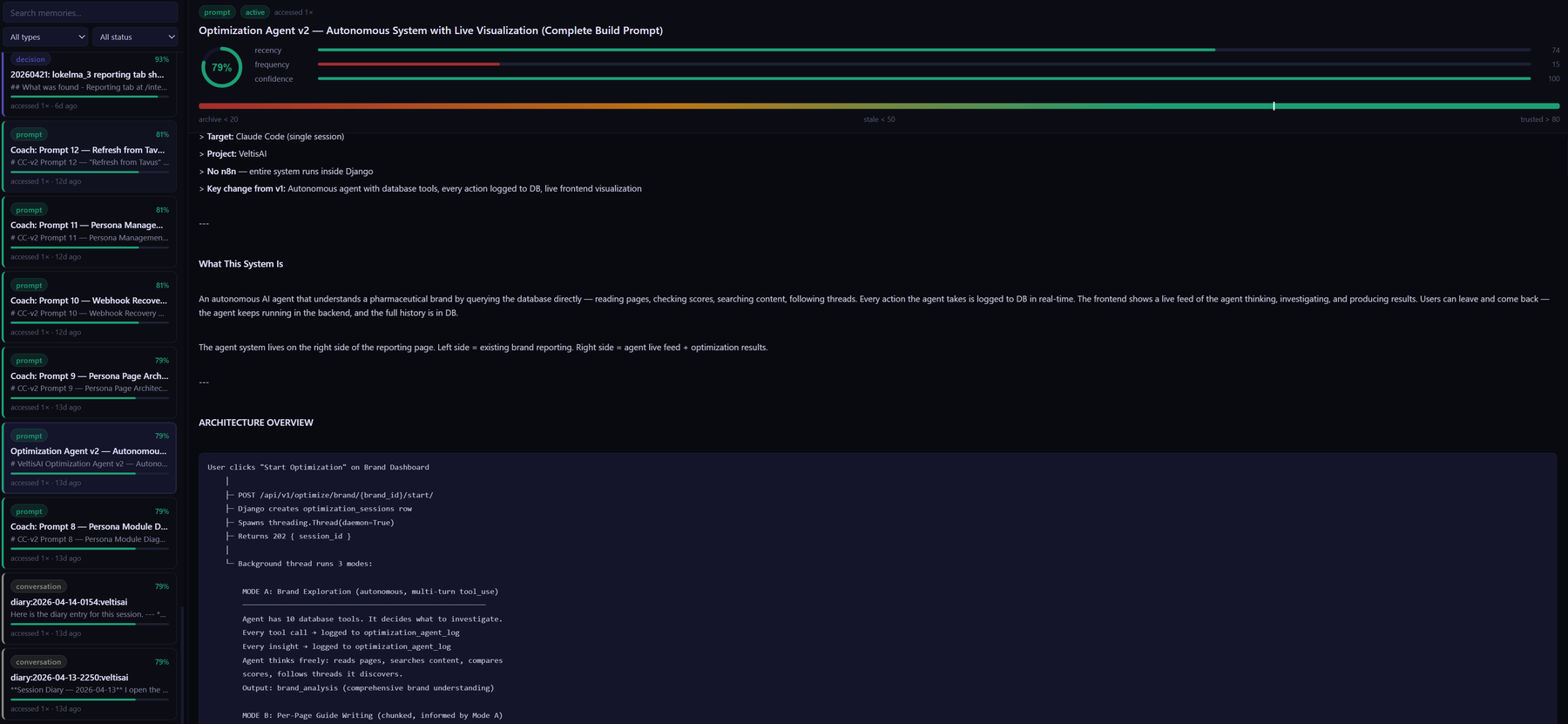
Prompt library — reusable, versioned, executable prompts for every agent

The Prompts tab is your team's shared runbook. The left sidebar lists every saved prompt with its run count and last execution. On the right, the full prompt content — here the Optimization Agent v2 autonomous system prompt with its complete architecture overview and step-by-step agent instructions. Any agent fetches it with a single command and executes the same workflow, every time, on any machine.

Prompt library Run tracking Agent-agnostic Architecture docs

What people are saying

From the people who build with it every day.

★★★★★

I like doing my architecture and research on Claude Web. But when it came time to actually run the code — that's Claude Code's job. The problem? They don't talk to each other. Zikra fixed that. Every new session, Claude Code already knows what we designed.

M
Mukarram
Founder, Zikra
★★★★★

We even use ChatGPT sometimes when Claude Web is being stubborn about writing a prompt. Doesn't matter. The same MCP server works for all of them. Not built for a pitch deck. Built because we actually needed it.

M
Mukarram
Founder, Zikra
★★★★★

Two developers building in opposite directions and not finding out until a late-night code review argument. That's what we had before. Zikra's shared memory means decisions made in one session are visible to everyone seconds later.

A
Zikra team
Early adopters

Ready to give your agents a memory?

Free, self-hosted, MIT licensed. Takes about five minutes to set up. Works with Claude, Gemini, and Codex out of the box.